Arrow Functions in JavaScript
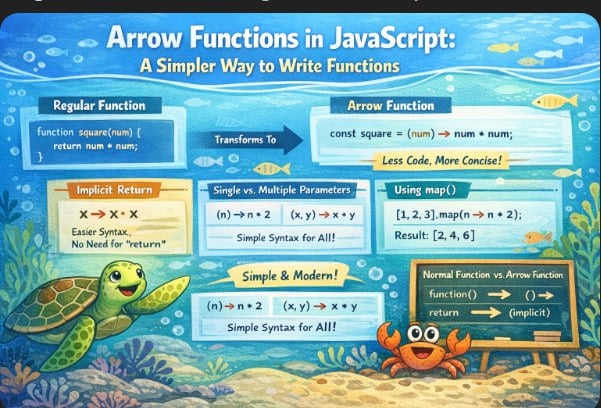
# Arrow Functions in JavaScript: A Simpler Way to Write Functions

If you've been writing JavaScript for even a little while, you've probably seen something like this floating around in codebases or tutorials:

```js
const greet = (name) => `Hello, ${name}!`;
That little => symbol? That's an arrow function — and once it clicks, you'll use it everywhere.
Why do arrow functions even exist?
Before ES6 (2015), every function in JavaScript looked like this:
function add(a, b) {
  return a + b;
}
It works perfectly fine. But when you're writing lots of small functions — especially inside array methods — it starts to feel like a lot of typing for something simple.
Arrow functions give you a shorter, cleaner way to write the same thing. Less boilerplate, more readable code.
The basic syntax
Here's the pattern every arrow function follows:
const functionName = (parameters) => { body }
Let's break it down with a real example:
const add = (a, b) => {
  return a + b;
};

console.log(add(3, 4)); // 7
You store the function in a variable using const, write your parameters in parentheses, add the => arrow, and then your function body in curly braces. That's it.
One parameter? Parentheses are optional
Here's a small shortcut — when your function takes exactly one parameter, you can skip the parentheses:
// Both of these work the same way
const double = (n) => { return n * 2; };
const double = n => { return n * 2; };

console.log(double(5)); // 10
Personal tip: Many developers prefer to always keep the parentheses even for one parameter — it keeps things consistent. Both styles are valid, so just pick one and stick with it.
Two or more parameters? Parentheses are required
When you have two or more parameters (or zero), parentheses are not optional:
const multiply = (a, b) => {
  return a * b;
};

const greetEveryone = () => {
  return "Hello, everyone!";
};

console.log(multiply(6, 7));   // 42
console.log(greetEveryone());  // Hello, everyone!
Quick rule to remember:
No params →
()One param →
nor(n)Two or more →
(a, b)— always
Implicit return — the magic shortcut
This is where arrow functions really shine. And honestly, this is the part that trips people up at first, so pay attention here.
Explicit return means you write the return keyword yourself, inside curly braces:
const square = (n) => {
  return n * n;
};
Implicit return means — if your function body is just a single expression — you can drop the curly braces and the return keyword entirely. JavaScript figures it out:
const square = (n) => n * n;

console.log(square(4)); // 16
Same result. Half the code.
The rule is simple: curly braces = you need return. No curly braces = return is automatic.
One edge case worth knowing — if you want to implicitly return an object, wrap it in parentheses, otherwise JavaScript gets confused and thinks the {} is the function body:
// This breaks
const getUser = (name) => { name: name };

// This works
const getUser = (name) => ({ name: name });
Arrow function vs normal function — what actually changes?
For day-to-day use, the biggest practical difference is just the syntax. But there are a few real differences worth knowing:
| Feature | Normal function | Arrow function |
|---|---|---|
| Syntax | Uses function keyword |
Uses => |
Has its own this |
Yes | No — borrows from surrounding scope |
| Works as a constructor | Yes (with new) |
No |
| Best for | Methods, constructors | Callbacks, array methods |
The this difference is the most important one technically, but if you're just getting started — don't stress about it yet. Focus on the syntax first, and this will make sense once you're working with objects and classes.
Where arrow functions shine — inside array methods
This is where you'll use arrow functions the most. Compare these two:
const numbers = [1, 2, 3, 4, 5];

// Old way
const doubled = numbers.map(function(n) {
  return n * 2;
});

// Arrow function way
const doubled = numbers.map(n => n * 2);

console.log(doubled); // [2, 4, 6, 8, 10]
Same output. The arrow function version is just much easier to read — especially when you're chaining methods together.
Practice assignment
The best way to make this stick is to actually type it out. Try these:
Task 1: Write a normal function that calculates the square of a number.
Task 2: Rewrite it as an arrow function — try both explicit and implicit return versions.
Task 3: Write an arrow function that takes a number and returns "even" or "odd".
Task 4: Use an arrow function inside map() on the array [10, 20, 30, 40, 50] to divide every number by 10.
Here are the solutions when you're ready:
// Task 1 — Normal function
function square(n) {
  return n * n;
}

// Task 2 — Arrow function, explicit return
const squareArrow = (n) => {
  return n * n;
};

// Task 2 — Arrow function, implicit return
const squareShort = n => n * n;

// Task 3 — Even or odd
const evenOrOdd = n => (n % 2 === 0 ? "even" : "odd");

console.log(evenOrOdd(7));  // odd
console.log(evenOrOdd(12)); // even

// Task 4 — map with arrow function
const numbers = [10, 20, 30, 40, 50];
const divided = numbers.map(n => n / 10);

console.log(divided); // [1, 2, 3, 4, 5]
Quick recap
Arrow functions use
=>instead of thefunctionkeywordOne parameter:
()are optional. Two or more: always requiredNo curly braces = implicit return (single expression only)
Curly braces = you must write
returnyourselfThey're perfect for callbacks and array methods like
map(),filter(),reduce()They don't have their own
this— important to know for later
That's really all there is to it. Arrow functions are one of those things that feel weird for a day and then become second nature forever.
Open your browser console and type out the examples — don't just read them. See you in the next one.


