JavaScript Modules: Import and Export Explained
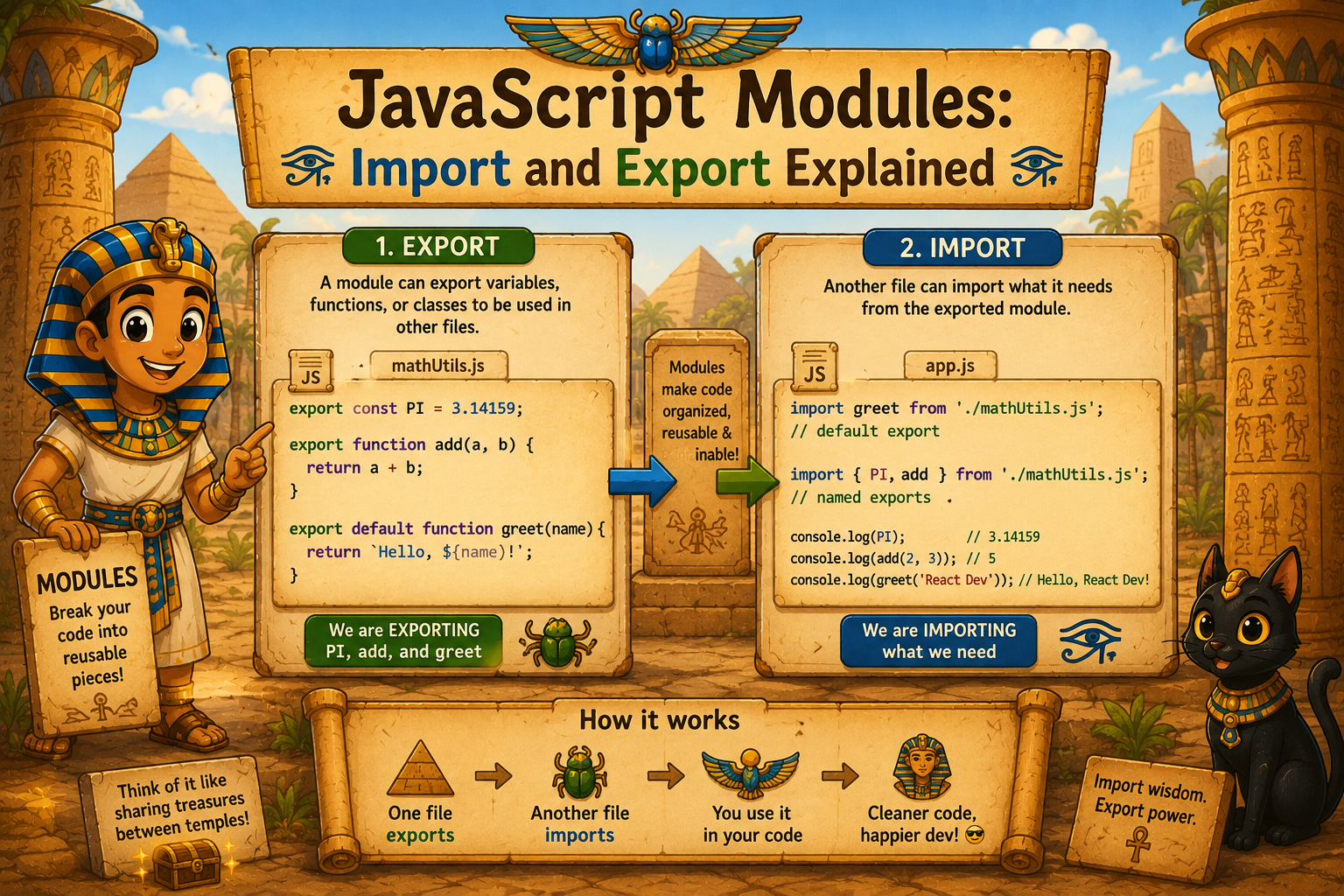
If you've ever written a long JavaScript file and thought "this is getting out of hand" — you're not alone. Most developers hit that wall eventually. Modules are the answer, and once you get them, you'll wonder how you ever lived without them.
1. Why modules are needed
Imagine writing a whole app in a single JavaScript file. At first it's fine — a few functions, some variables, maybe an event listener or two. But as the project grows, that one file becomes a monster. Hundreds of lines. Everything tangled together. You scroll for five minutes just to find one function.
And here's the real problem: variables declared in one part of the file can accidentally mess with variables in another. There's no clean separation. Everything shares the same space, which leads to bugs that are genuinely painful to track down.
That's the problem modules solve. They let you split your code into smaller, focused files — each doing one thing well. A file for handling user authentication, another for API calls, another for utility functions. Clean, readable, and manageable.
2. Exporting functions or values
To share something from one file with the rest of your code, you export it.
export function add(a, b) {
  return a + b;
}

export const PI = 3.14159;
That's it. You put export in front of whatever you want to make available — functions, variables, classes, objects. Anything you don't export stays private to that file. Which is actually a good thing. It means you're intentional about what you share.
3. Importing modules
Once something is exported, you can pull it into another file using import.
import { add, PI } from './math.js';

console.log(add(2, 3));  // 5
console.log(PI);         // 3.14159
The ./math.js path just tells JavaScript where to find the file. The curly braces { } are how you pick exactly what you need from that file — you don't have to take everything, just what's useful for you at that moment.
4. Default vs named exports
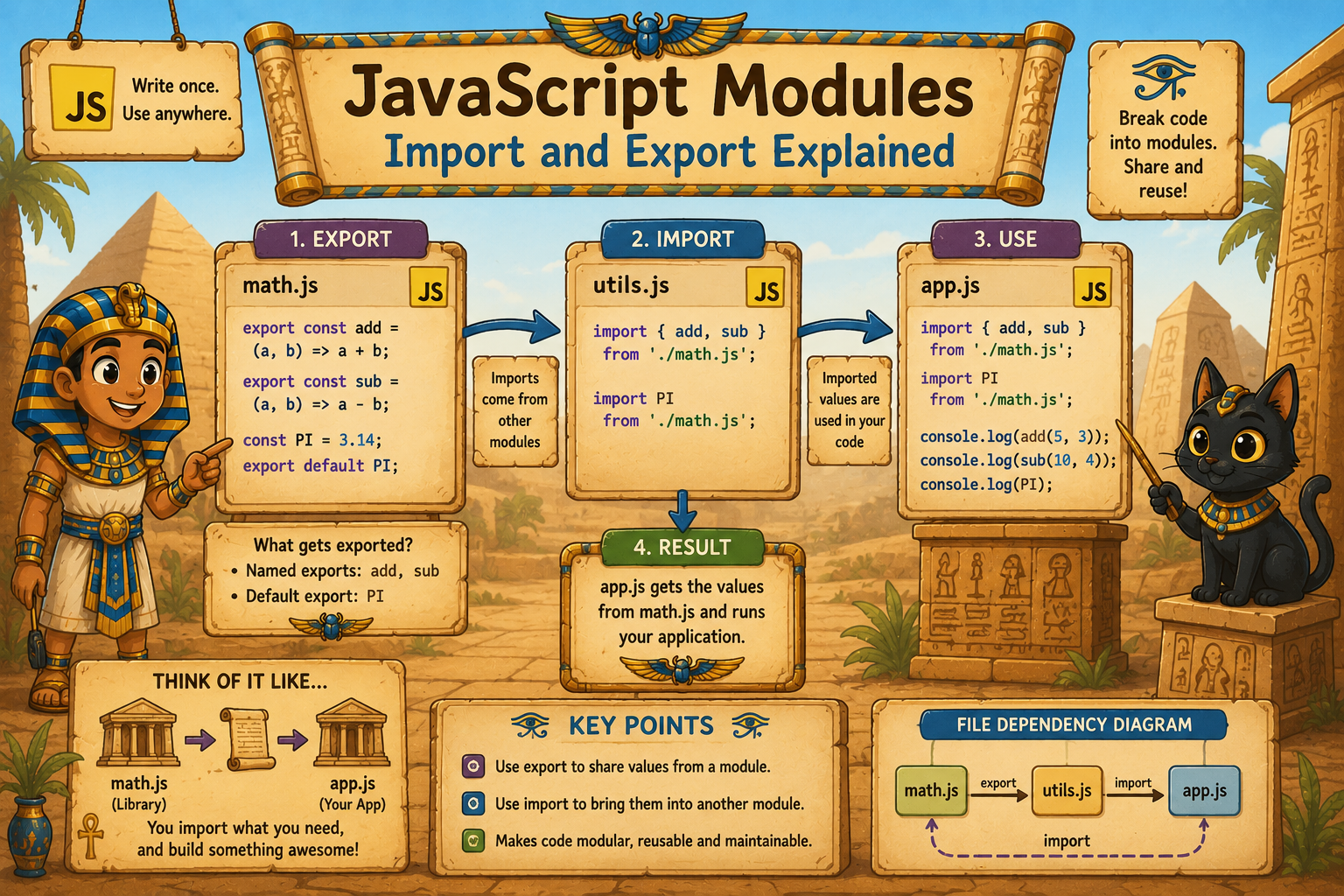
There are two ways to export things, and knowing the difference saves a lot of confusion.
Named exports are what we just saw — you can have multiple of them in one file, and you import them using their exact names inside { }.
export function greet(name) { return `Hello, ${name}`; }
export function shout(name) { return `HEY, ${name.toUpperCase()}`; }
import { greet, shout } from './utils.js';
Default exports are for when a file has one main thing to export — typically a class or a primary function.
export default function log(message) {
  console.log(`[LOG]: ${message}`);
}
import log from './logger.js'; // No curly braces needed
Notice there are no { } when importing a default export, and you can name it whatever you like on the importing side. That flexibility is intentional — a default export is the thing from that file.
A quick way to remember it: named exports need { }, default exports don't.
5. Benefits of modular code
Breaking your code into modules isn't just tidiness for tidiness's sake. There are real, practical benefits:
Easier to maintain. When a bug appears in your authentication logic, you know exactly which file to go to. You're not hunting through 800 lines of mixed code.
Reusability. Write a utility function once, export it, and use it in ten different places across your project. No copy-pasting, no duplicated logic.
Better collaboration. When working with a team, modules mean multiple people can work on different files without constantly stepping on each other's toes.
Scoped by default. Variables inside a module don't leak into other files. This alone eliminates a whole category of annoying bugs.
Readable at a glance. When you open a file and see its imports at the top, you immediately know what it depends on. That's documentation in itself.

Modules might feel like extra overhead at first, especially on small projects. But the moment your codebase grows — and it will — you'll be glad you structured things this way. Start with the habit early, and future you will say thank you.


